
Home/Preparing your files
Made for a better print
Preparing your files
From file format to screen calibration, a practical guide to getting your photographs ready for print.
Before you upload: a quick checklist
Export a JPEG in sRGB, choose the intended print size and check the crop. Keep important text away from the edges.
Format JPEGColour space sRGBResolution 300ppiSafe area 5mm for text
Advanced file guidance
Use the sections below when you need to prepare a bespoke crop, soft-proof a paper or check your display.
File Format

When saving you must ensure the file uses the sRGB colour profile. This is easily done in Photoshop.
With your file open, simply go to Edit > Convert to Profile. A window will pop up displaying the ‘source space’ (which is the current colour profile) and the destination space is what you would like to convert to.
Find ‘sRGB IEC61966-2.1’ in the drop-down and then click OK.
Please note: All files should be saved in JPEG format.
Aspect Ratios & Bespoke Sizes

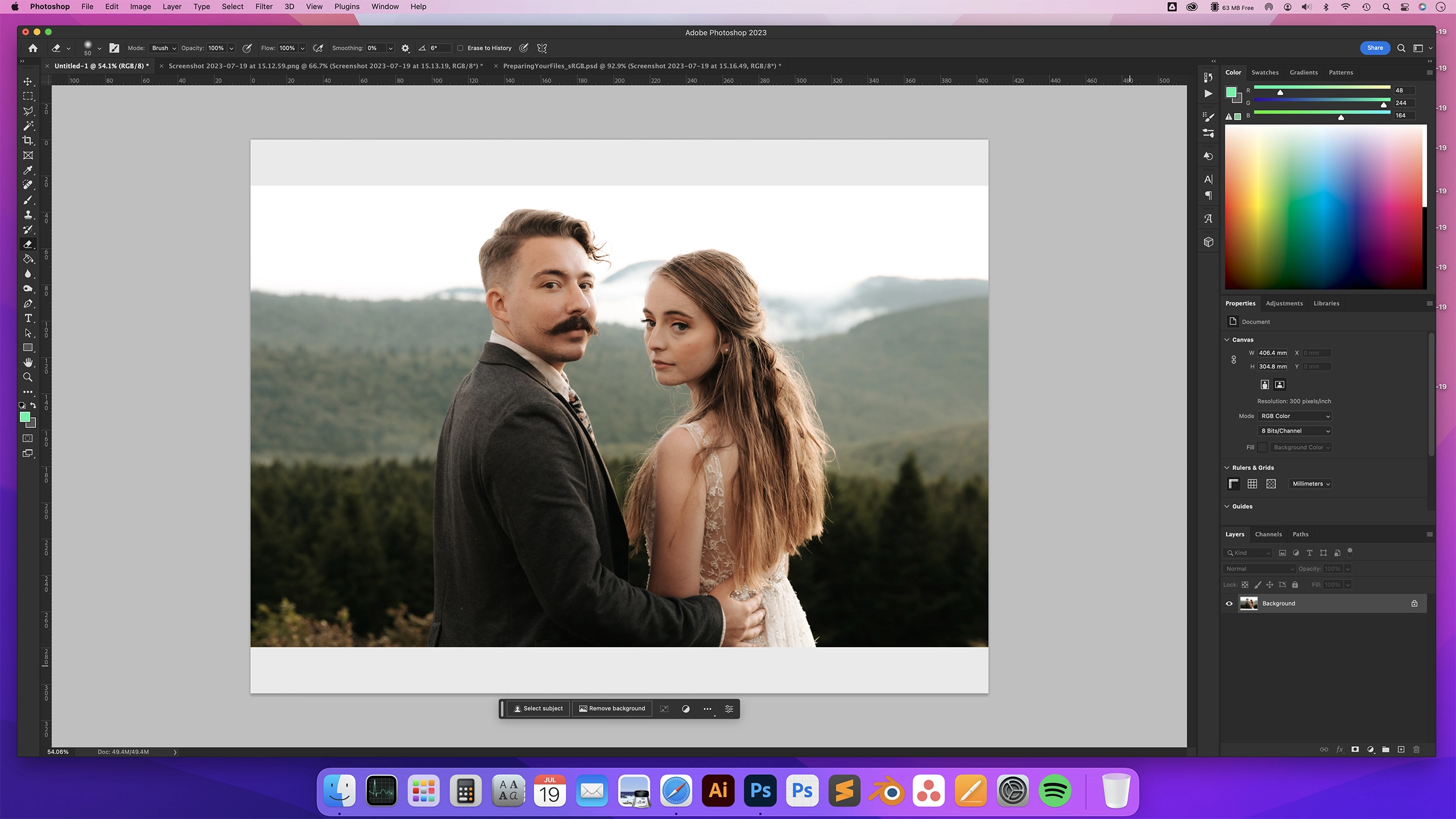
When sizing your image ensure the print size and aspect ratio match the size of the print you are ordering and are at 300dpi.
We can print any bespoke size you require, but the file must be sized accordingly.
E.G. if you require a 16”x10” print size, firstly size the file to 16”x10” at 300dpi within Photoshop and then go to Image > Canvas Size’ and enter 16”x12” as this is the next size up we offer from the bespoke size. You will see canvas size adds a border to your file but once you trim this off it will leave you with a 16”x10” print.
Please note: If you size a file a 6"x4" and order a 10"x8" you will receive a cropped 10"x8" and not a 6"x4" positioned in the middle of a 10"x8".
Bleeds & Safe Areas

We use c-type photographic printers which means you will always get a 2-3mm crop around your image.
When adding a water mark or text to an image please make sure you have 5mm space to account for the crop. Also when adding your own border again remember you will lose 2-3mm from it at the print stage.
ICC Paper Profiles
Simply click the icons below to begin downloading.

Fuji Maxima
Currently Unavailable
Installing Paper Profiles
Windows: Right-click the downloaded ICC profile and select ‘Install Profile’ from the menu.
Mac: Copy the ICC profiles to the ‘Profiles’ folder located in Finder / Go / Computer / [Your HD] / Library / ColorSync / Profiles.
Paper ICC profiles describe a particular print-and-paper combination. Use a suitable profile in a colour-managed application to soft-proof how an image may reproduce; a profile does not automatically correct an image or guarantee a screen-to-print match. Keep uploads in sRGB JPEG format unless the product instructions specify otherwise.
Screen calibration and profiling
For colour-critical work, calibrate and profile your display with a compatible measurement device and follow its instructions. This applies to Mac and PC displays. A fixed brightness percentage is not a calibration target: suitable settings depend on the display and the light in your workspace.
Judge a print under consistent, suitable lighting. An illuminated screen and a reflective print will not look identical, particularly if the screen is much brighter than the viewing light.
Apple: calibrating a Mac display · Adobe: colour profiles for print output
Keep colour viewing consistent
- Use your calibrated display profile in colour-managed editing software.
- Avoid changing display brightness or the room lighting while assessing a print match.
- Turn off automatic colour-temperature adjustments, such as Night Shift or True Tone, while assessing colour-critical work.
- Do not use a universal 50% brightness or contrast setting as a substitute for calibration.
Screen Calibration Test Print Service
Order an 8” x 6” Lustre print of our reference image to compare with the same file in your colour-managed editing application. View the print in consistent lighting. A reference print helps you assess the result, but does not replace display calibration and profiling.
Click Here to download our 8" x 6" Calibration Print.

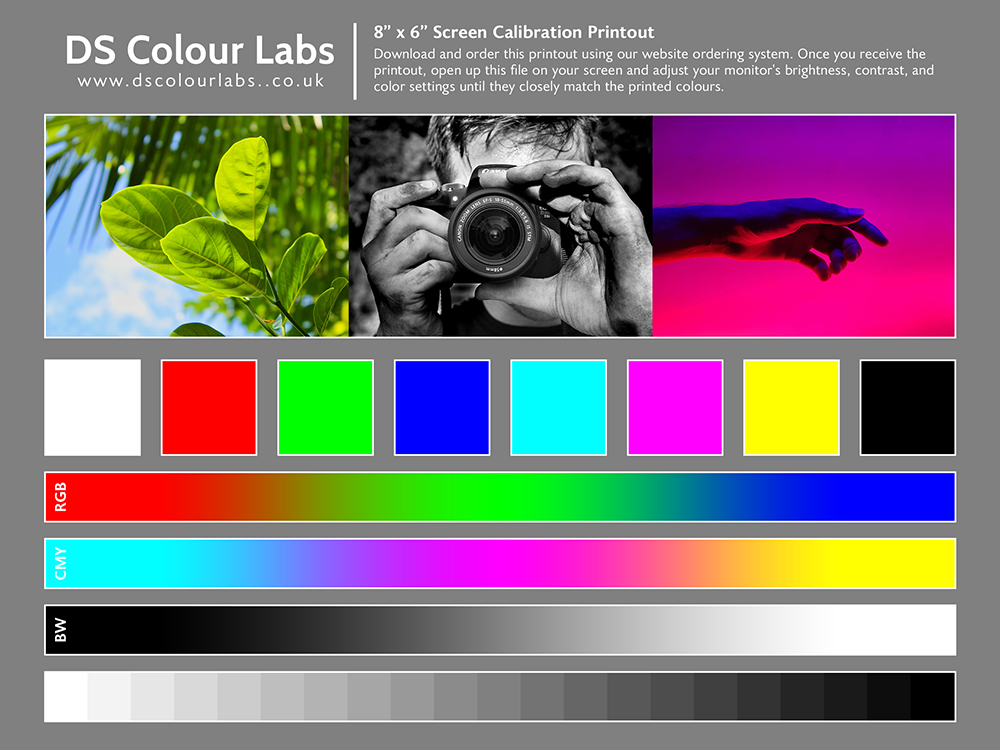
Image Sizes and Pixel Dimensions (Based on 300ppi)
| Size | Pixels |
| 5" x 4" | 1500 x 1200 |
| 5" x 5" | 1500 x 1500 |
| 6" x 4" | 1800 x 1200 |
| 7" x 5" | 2100 x 1500 |
| 8" x 6" | 2400 x 1800 |
| 9" x 6" | 2700 x 1800 |
| 8" x 8" | 2400 x 2400 |
| 9" x 9" | 2700 x 2700 |
| 10" x 7" | 3000 x 2100 |
| 10" x 8" | 3000 x 2400 |
| A4 | 2475 x 3510 |
| Size | Pixels |
| 12" x 8" | 3600 x 2400 |
| 10" x 10" | 3000 x 3000 |
| 12" x 10" | 3600 x 3000 |
| 11" x 11" | 3300 x 3300 |
| 14" x 11" | 4200 x 3300 |
| 15" x 10" | 4500 x 3000 |
| 12" x 12" | 3600 x 3600 |
| A3 | 3510 x 4950 |
| 16" x 12" | 4800 x 3600 |
| 18" x 12" | 5400 x 3600 |
| 20" x 16" | 6000 x 4800 |